如若情深不被辜负
表达式用于应用程序数据绑定到html。表达式都写在双括号就像{{表达式}}。表达式中的行为跟ng-bind指令方式相同。 angularjs应用表达式是纯javascript表达式,并输出它们被使用的数据在那里。
使用数字
<p>expense on books : {{cost * quantity}} rs</p>
使用字符串
<p>hello {{student.firstname + " " + student.lastname}}!</p>
使用对象
<p>roll no: {{student.rollno}}</p>
使用数组
<p>marks(math): {{marks[3]}}</p>
例子
下面的例子将展示上述所有表达式。
testangularjs.html 文件代码如下:
<html>
<title>angularjs expressions</title>
<body>
<h1>sample application</h1>
<div ng-app="" ng-init="quantity=1;cost=30; student={firstname:'mahesh',lastname:'parashar',rollno:101};marks=[80,90,75,73,60]">
  <p>hello {{student.firstname + " " + student.lastname}}!</p>
  <p>expense on books : {{cost * quantity}} rs</p>
  <p>roll no: {{student.rollno}}</p>
  <p>marks(math): {{marks[3]}}</p>
</div>
<script src="http://www.51sjk.com/Upload/Articles/1/0/261/261829_20210702001740953.js"></script>
</body>
</html>
输出
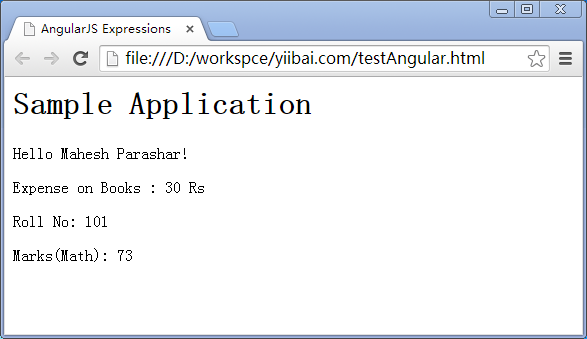
在web浏览器打开textangularjs.html。看到结果如下: