
一、封装组件
作为入门,这是一个非常简单的demo,但核心的接收使用者的输入@input(),以及返回数据给使用者@output()都实现了,所以有一定的借鉴意义。
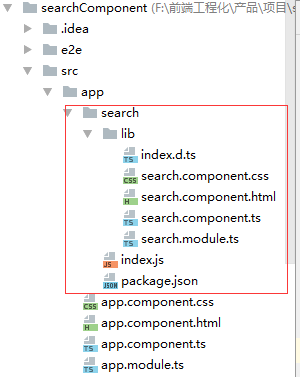
目录结构:(部分目录不是框架中自动生成,二是后期添加,按照步骤进行即可。)
具体代码:
html:(search.component.html)
<input type="text" class="form-control"
    #info placeholder="{{information}}" >

<button type="button" class="btn btn-default"
    (click)="query(info.value);">查询</button>


css:(search.component.css)

.form-control{
 float: left;
 width: 70%;
}

.btn btn-default{
 background-color: #41abe9;
}
ts:(search.component.ts)
import {component, oninit, input, output, eventemitter} from '@angular/core';
@component({
 selector: 'app-search',
 templateurl: './search.component.html',
 styleurls: ['./search.component.css']
})
export class searchcomponent implements oninit {
 @input() information: string;
 @input() url: string;
 dataurl: string;
 @output() editdata = new eventemitter<any>();

 constructor() { }
 ngoninit() {
 }
 query(info: string) {
  this.dataurl = this.url + '/' + info;
  this.editdata.emit(this.dataurl);
 }
}
解释:@input,接收信息。如information可以接收html中的{{information}}的值
@output是输出。即引用组件化的人可以拿到editdata的返回值。
module:(search.module.ts)
import {searchcomponent} from './search.component' ;
import {commonmodule} from '@angular/common';
import { ngmodule } from '@angular/core';
import { formsmodule } from '@angular/forms';
import { httpmodule } from '@angular/http';

@ngmodule({
 declarations: [
  searchcomponent
 ],
 imports: [
  commonmodule,
  formsmodule,
  httpmodule,
 ],
 providers: [],
 exports: [searchcomponent],
})
export class searchmodule { }
至此组件完成,可以通过在app.component.html中引入如下看看效果:
<h1>
 {{information}}
 {{dataurl}}
</h1>
<div style="width: 300px;padding-left: 5px">
<app-search [information]="information" [url]="url" (editdata)="query($event)"></app-search>
</div>
对应app.component.ts中需要定义:
import { component } from '@angular/core';
@component({
 selector: 'app-root',
 templateurl: './app.component.html',
 styleurls: ['./app.component.css']
})
export class appcomponent {
 information = '输入班级名称';
 url= 'class/find';
 dataurl: string;
 query(info: any) {
  this.dataurl = info;
 }
}
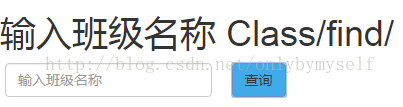
点击查询后效果如:
二、发布,供大家引用
1、注册npm账号:
地址:
2、手动或者命令创建package.json文件
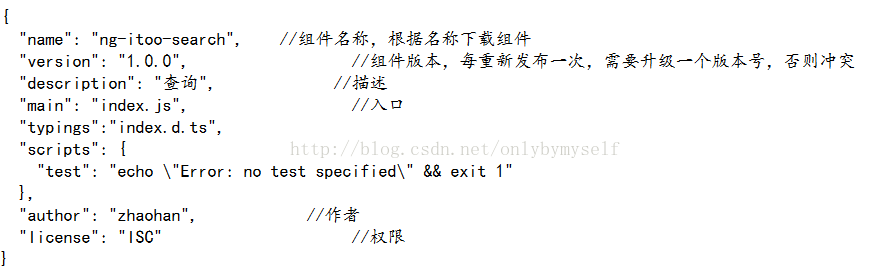
内容包括:
3、手动或命令创建index.js文件
在添加内容前,我们调整组件的目录结构,如最上图所示,这是规范的目录结构,调整好后,添加index.js内容:
export * from './lib/search.module';
4、手动或命令创建index.d.ts文件
export {searchmodule} from './search.module';
5、ctrl+shift+右击(在search组件目录下)
运行:npm login
输入账号、密码、邮箱
登录成功后:运行npm publish
至此发布完成。
三、引用者调用:
1、ctrl+shift+右击(项目根目录)
cnpm install ng-itoo-search
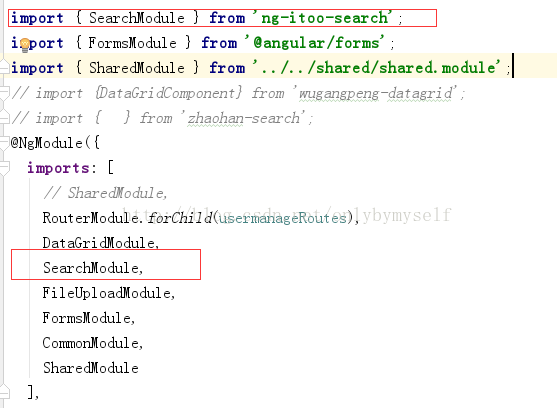
2、引入到项目中
自己的module中
3、自己的html中:
<app-search [information]="information" [url]="url " (editdata)="query($event)"></app-search>
4、对应的ts中:
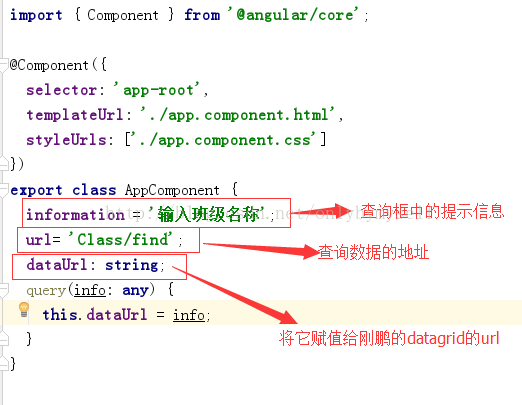
注意:
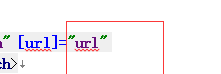
框中的url和ts中保持一致即可,并非必须写url,自己定义。
ok,现在完整的一个组件就开发、发布完成了。这样就可以让其他开发人员引用了。通过这样的封装,既可以实现代码的复用,又会减少项目打包的体积......是angular的一大优点。
以上就是本文的全部内容,希望对大家的学习有所帮助,也希望大家多多支持。
