
一、@value注解
在person的属性上使用@value注解指定注入值
public class person {

    @value("#{20-2}")     //spel表达式 #{}
    private integer id;

    @value("张三")        //基本数据类型
    private string name;
}
配置类
@configuration
public class mainconfigofpropertyvalues {

    @bean
    public person person(){
        return new person();
    }
}
测试
 @test
    public void testvalues(){
        applicationcontext context = new annotationconfigapplicationcontext(mainconfigofpropertyvalues.class);

        string[] beandefinitionnames = context.getbeandefinitionnames();

        for (string beanname : beandefinitionnames){
            system.out.println(beanname);
        }

        person person = (person) context.getbean("person");

        system.out.println(person);
    }
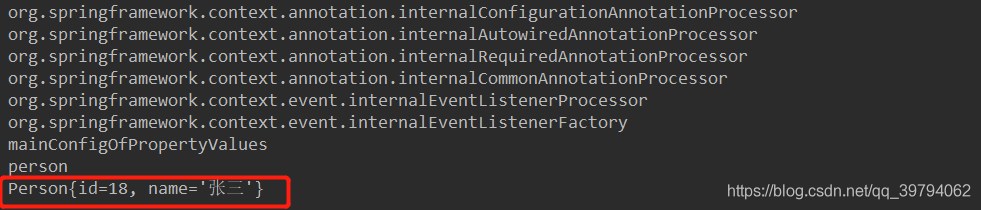
输出结果:
二、@propertysource加载外部配置文件
配置类加上@propertysource注解,引入外部配置文件
@propertysource({"classpath:/person.properties"})
@configuration
public class mainconfigofpropertyvalues {

    @bean
    public person person(){
        return new person();
    }
}
使用${属性值}注入属性值
public class person {

    @value("#{20-2}")     //spel表达式 #{}
    private integer id;

    @value("张三")        //基本数据类型
    private string name;

    @value("${person.age}")     //使用外部配置文件注入属性值
    private integer age;
}
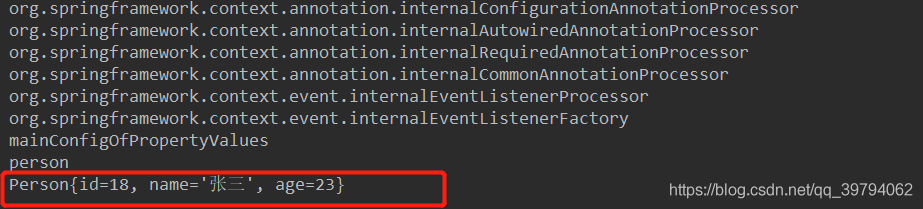
输出结果:
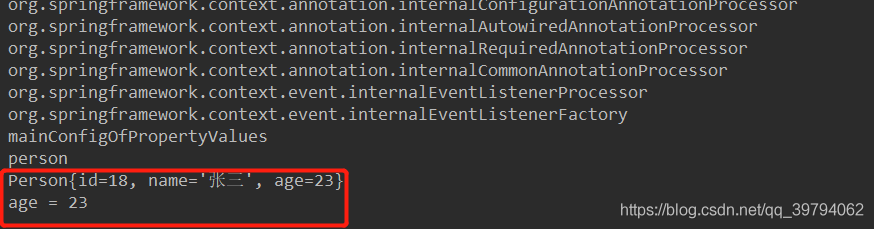
因为配置文件中的值默认都加载到环境变量中,所有还可以通过环境变量来获取配置文件中的值
 @test
    public void testvalues(){
        applicationcontext context = new annotationconfigapplicationcontext(mainconfigofpropertyvalues.class);

        string[] beandefinitionnames = context.getbeandefinitionnames();

        for (string beanname : beandefinitionnames){
            system.out.println(beanname);
        }

        person person = (person) context.getbean("person");

        system.out.println(person);

        environment environment = context.getenvironment();

        string age = environment.getproperty("person.age");
        system.out.println("age = " + age);

    }
输出结果:
到此这篇关于详解spring注解驱动开发实现属性赋值的文章就介绍到这了,更多相关spring注解驱动开发内容请搜索以前的文章或继续浏览下面的相关文章希望大家以后多多支持!
