
 我想做你的狗
最近翻阅了一下vue。发觉有一个单文件组件之前基本忽视掉了。vue.js中的单文件组件允许在一个文件中定义一个组件的所有内容。也就是说,一个页面或者是一个组件,我们想将他们捆绑在一起,那么vue的这个单文件组件可以做到。正如vue的官网说的,“在很多 vue 项目中,我们使用 app.component 来定义全局组件,紧接着用 app.mount('#app') 在每个页面内指定一个容器元素。”这里的组件,都是相对简单的,而面对一个比较复杂的项目,这种方式就行不通。原因如下:
- 全局定义 (global definitions) 强制要求每个 component 中的命名不得重复;
- 字符串模板 (string templates) 缺乏语法高亮,在 html 有多行的时候,需要用到丑陋的 \;
- 不支持 css (no css support) 意味着当 html 和 javascript 组件化时,css 明显被遗漏;
- 没有构建步骤 (no build step) 限制只能使用 html 和 es5 javascript,而不能使用预处理器,如 pug
- (曾经的 jade) 和 babel。
所有这些都可以通过扩展名为 .vue 的 single-file components (单文件组件) 来解决,并且还可以使用 webpack 或 browserify 等构建工具。
那么vue项目中的单文件组件需要如何创建呢?
构建
npm install -d @vue/compiler-sfc
在控制台上输入上述的代码,然后就会出现一个文件夹和另一个json文件。如下:
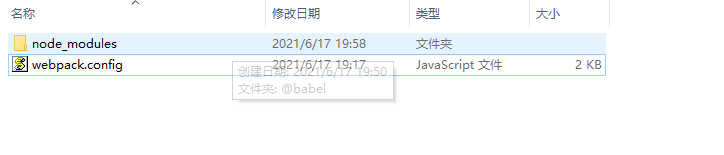
我们要构建单文件组件,就要自个制定文件。同时对webpack也要有一定的了解才行。
比如说,我们自己安装一些需要的依赖。比如说,css-loader、css的预编译处理器等等。因为需要项目对vue文件进行解析,那么vue-loader是必须的。
这些文件其实都是vue的简单版本。比如简单版的hello.vue文件,可以如下
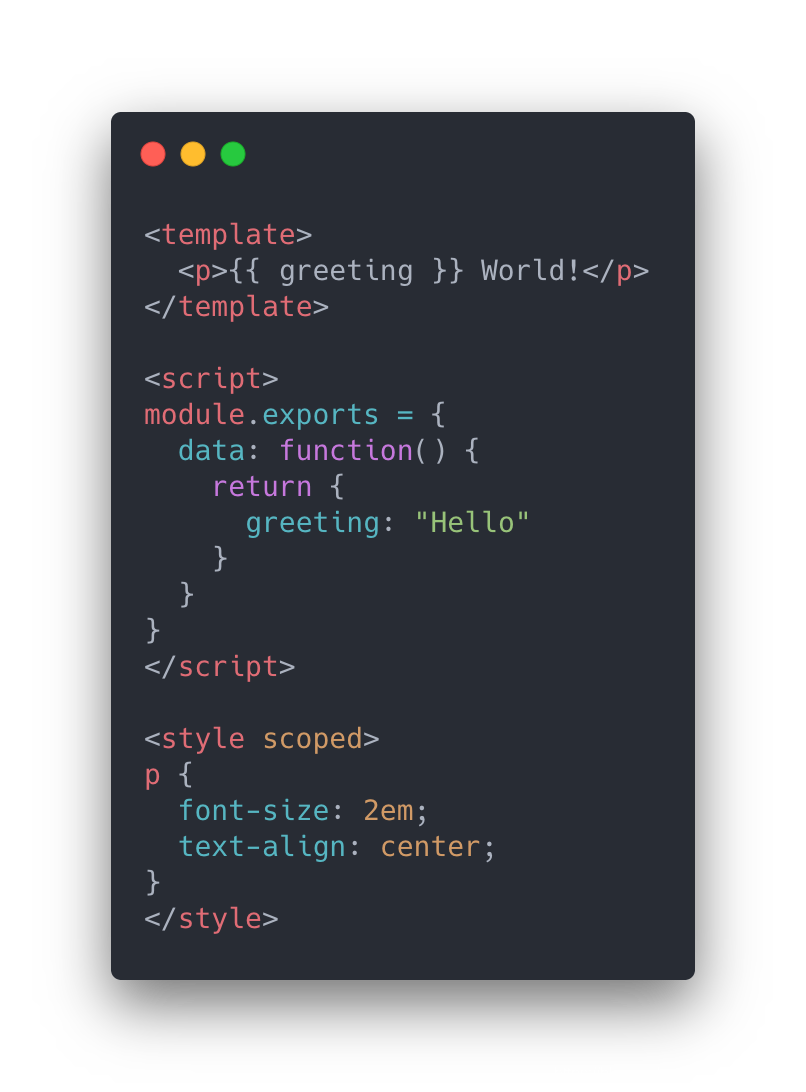
由此可以看见: 三个部分组成。而template这个部分是不可缺少的,其它的两个部分,style和script还可以忽略掉。
script让你的页面js可以跟vue完美结合,而style可以使用预处理器来构建简洁和功能更丰富的组件。(这个单文件组件很像最初前端开发中的html文档,它有自己的style标签和script标签,只是表现层使用一个template标签。由于使用了简单的方式,得到一个强大的分层组件(内容/模板:,表现:
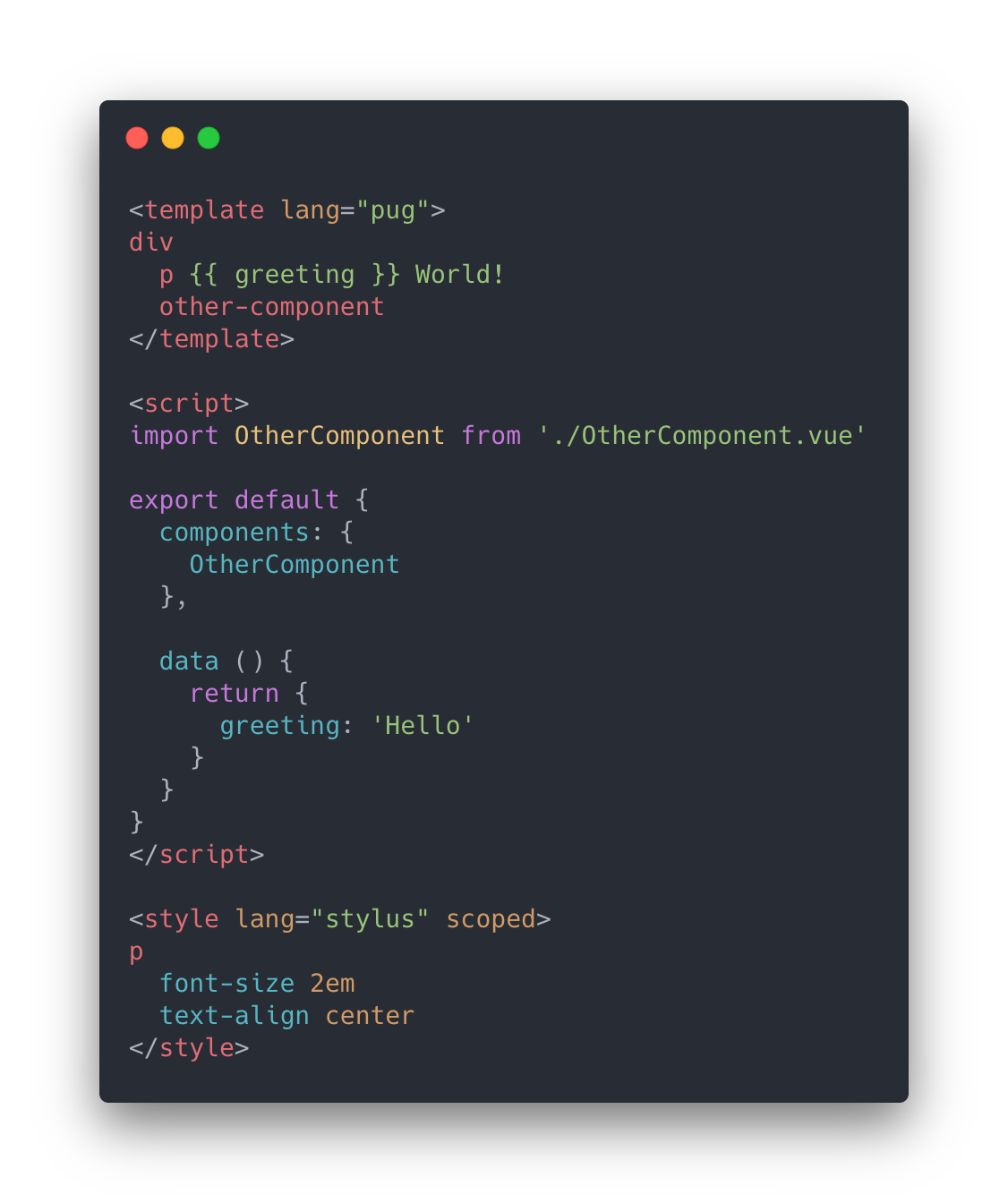
可能有的小伙伴喜欢将不同模块拆分开来,也就是vue文档说的关注点分离。那么没有关系,你可以拆开那些文档,将css和js拆开到另一个文件,之后引入进组件中。如下:
<!-- my-component.vue -->
<template>
  <div>this will be pre-compiled</div>
</template>
<script src="./my-component.js"></script>
<style src="./my-component.css"></style>
项目大致目录如下:
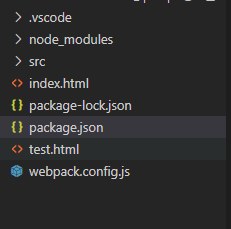
其中,index.html
<!doctype html>
<html lang="en">
  <head>
    <meta charset="utf-8" />
    <title>vue simple todo app with sfc</title>
    <link
      rel="stylesheet"
       rel="external nofollow"  rel="external nofollow"
    />
    <link rel="stylesheet"  rel="external nofollow"  rel="external nofollow"  />
  </head>
  <body>
    <div id="app"></div>
    <script src="/dist/main.js"></script>
  </body>
</html>
package.json
{
    "private": true,
    "scripts": {
      "dev": "webpack-dev-server",
      "build": "webpack --env.prod"
    },
    "dependencies": {
      "vue": "^3.1.1"
    },
    "devdependencies": {
      "@vue/compiler-sfc": "^3.1.1",
      "css-loader": "^3.5.2",
      "file-loader": "^6.0.0",
      "mini-css-extract-plugin": "^0.9.0",
      "stylus": "^0.54.7",
      "stylus-loader": "^3.0.2",
      "url-loader": "^4.1.0",
      "vue-loader": "^16.0.0-alpha.3",
      "vue-style-loader": "^4.1.2",
      "webpack": "^4.42.1",
      "webpack-cli": "^3.3.11",
      "webpack-dev-server": "^3.10.3"
    },
    "keywords": ["todo", "vue"],
    "name": "vue-todo-list-app-with-single-file-component",
    "description": "a simple todo list application written in vue with single file component (sfc) support."
  }
webpack.config.js
const path = require("path");
const { vueloaderplugin } = require("vue-loader");
const minicssextractplugin = require("mini-css-extract-plugin");

module.exports = (env = {}) => ({
  mode: env.prod ? "production" : "development",
  devtool: env.prod ? "source-map" : "cheap-module-eval-source-map",
  entry: [
    env.prod ? false : require.resolve(`webpack-dev-server/client`),
    path.resolve(__dirname, "./src/main.js")
  ].filter(boolean),
  output: {
    path: path.resolve(__dirname, "./dist"),
    publicpath: "/dist/"
  },
  resolve: {
    alias: {
      // this isn't technically needed, since the default `vue` entry for bundlers
      // is a simple `export * from '@vue/runtime-dom`. however having this
      // extra re-export somehow causes webpack to always invalidate the module
      // on the first hmr update and causes the page to reload.
      vue: "@vue/runtime-dom"
    }
  },
  module: {
    rules: [
      {
        test: /\.vue$/,
        use: "vue-loader"
      },
      {
        test: /\.png$/,
        use: {
          loader: "url-loader",
          options: { limit: 8192 }
        }
      },
      {
        test: /\.css$/,
        use: [
          {
            loader: minicssextractplugin.loader,
            options: { hmr: !env.prod }
          },
          "css-loader"
        ]
      },
      {
        test: /\.stylus$/,
        use: ["vue-style-loader", "css-loader", "stylus-loader"]
      },
      {
        test: /\.pug$/,
        loader: "pug-plain-loader"
      }
    ]
  },
  plugins: [
    new vueloaderplugin(),
    new minicssextractplugin({
      filename: "[name].css"
    })
  ],
  devserver: {
    inline: true,
    hot: true,
    stats: "minimal",
    contentbase: __dirname,
    overlay: true,
    injectclient: false,
    disablehostcheck: true
  }
});
test.html
<!doctype html>
<html lang="en">
  <head>
    <meta charset="utf-8" />
    <title>vue simple todo app with sfc</title>
    <link
      rel="stylesheet"
       rel="external nofollow"  rel="external nofollow"
    />
    <link rel="stylesheet"  rel="external nofollow"  rel="external nofollow"  />
  </head>
  <body>
    <div id="app222">test pages</div>
    <script src="/dist/main.js"></script>
  </body>
</html>
src文件夹里边有三个文件,app.vue main.js 和todoitem.vue
其中:app.vue
<template>
  <div class="wrapper">
    <h1>my todo list</h1>
    <form @submit.prevent="addtodo">
      <input type="text" name="todo-text" v-model="newtodotext" placeholder="new todo">
    </form>
    <ul v-if="todos.length">
      <todoitem v-for="todo in todos" :key="todo.id" :todo="todo" @remove="removetodo"/>
    </ul>
    <p class="none" v-else>nothing left in the list. add a new todo in the input above.</p>
  </div>
</template>

<script>
import todoitem from "./todoitem.vue"

let nexttodoid = 1

const createtodo = text => ({
  text,
  id: nexttodoid++
})

export default {
  components: {
    todoitem
  },

  data() {
    return {
      todos: [
        createtodo("learn vue"),
        createtodo("learn about single-file components"),
        createtodo("fall in love ❤️")
      ],

      newtodotext: ""
    }
  },

  methods: {
    addtodo() {
      const trimmedtext = this.newtodotext.trim()

      if (trimmedtext) {
        this.todos.push(createtodo(trimmedtext))
      }

      this.newtodotext = ""
    },

    removetodo(item) {
      this.todos = this.todos.filter(todo => todo !== item)
    }
  }
}
</script>

<style lang="stylus">
*, *::before, *::after
  box-sizing border-box

html, body
  font 16px/1.2 blinkmacsystemfont, -apple-system, "segoe ui", roboto, helvetica, arial, sans-serif
  padding 10px

.wrapper
  width 75%
  margin 0 auto

form
  margin-bottom 20px

input[type="text"]
  width 100%
  padding 10px
  border 1px solid #777

ul, li
  margin 0
  padding 0

p.none
  color #888
  font-size small
</style>
main.js
import { createapp } from 'vue'
import app from './app.vue'

createapp(app).mount('#app')
todoitem.vue
<template>
  <li>
    <span>{{ todo.text }}</span>
    <button @click.prevent="$emit('remove', todo)">remove</button>
  </li>
</template>

<script>
export default {
  props: {
    todo: {
      required: true,
      type: object
    }
  }
}
</script>


<style lang="stylus" scoped>
li
  display flex
  margin 5px 0

  span
    flex 1

  button
    border 1px solid orange
    background orange
    color white
    font-size 0.8rem
    padding 2px 4px
    cursor pointer

    &:hover
      border-color #ff8100
      background #ff8100
</style>
注意
如果不懂得webpack,建议还是按照官网的指示,用vue的脚手架安装基本的工具。
或者是按照我给的pakage.json放到项目上,npm install一下,安装好最基本的环境,然后可以通过npm run dev进行本地开发。
其实,我觉得这个单文件组件用处已经比较小。除非就是一个纯js的项目,用的库和组件都已经非常的古老,那么这个时候用这个单文件组件来进行新的功能开发,效果还是不错的,前提是你要对vue比较熟悉。同时,我建议还是要学习一下webpack。不要对bable都一窍不通,然后还要通过node去启动项目。
其实,用一个文件就将html/css/javascript分层管理,统一到了一个文件,着实能够让我们的项目看起来更加的有条理,规范性更加好。因为我们的jq时代,常常会将css混杂在html中,而且,简单的一个点击事件都要将它们分割开,这体验当然没有“分层而治”那么分明。
参考文献:
1、https://v3.cn.vuejs.org/guide/single-file-component.html#%e5%9c%a8%e7%ba%bf%e6%bc%94%e7%a4%ba
2、
到此这篇关于vue单文件组件的实现的文章就介绍到这了,更多相关vue单文件组件内容请搜索以前的文章或继续浏览下面的相关文章希望大家以后多多支持!
