
 别打我脸啊
别打我脸啊
本文实例为大家分享了android自定义view实现波浪动画的具体代码,供大家参考,具体内容如下
效果演示
代码调用与实现效果
xml中调用
<developer.shivam.waveview.wave
  android:layout_width="match_parent"
  android:layout_height="match_parent"
  app:amplitude="100"
  app:quadrant="0.5"
  app:speed="0.15"/>
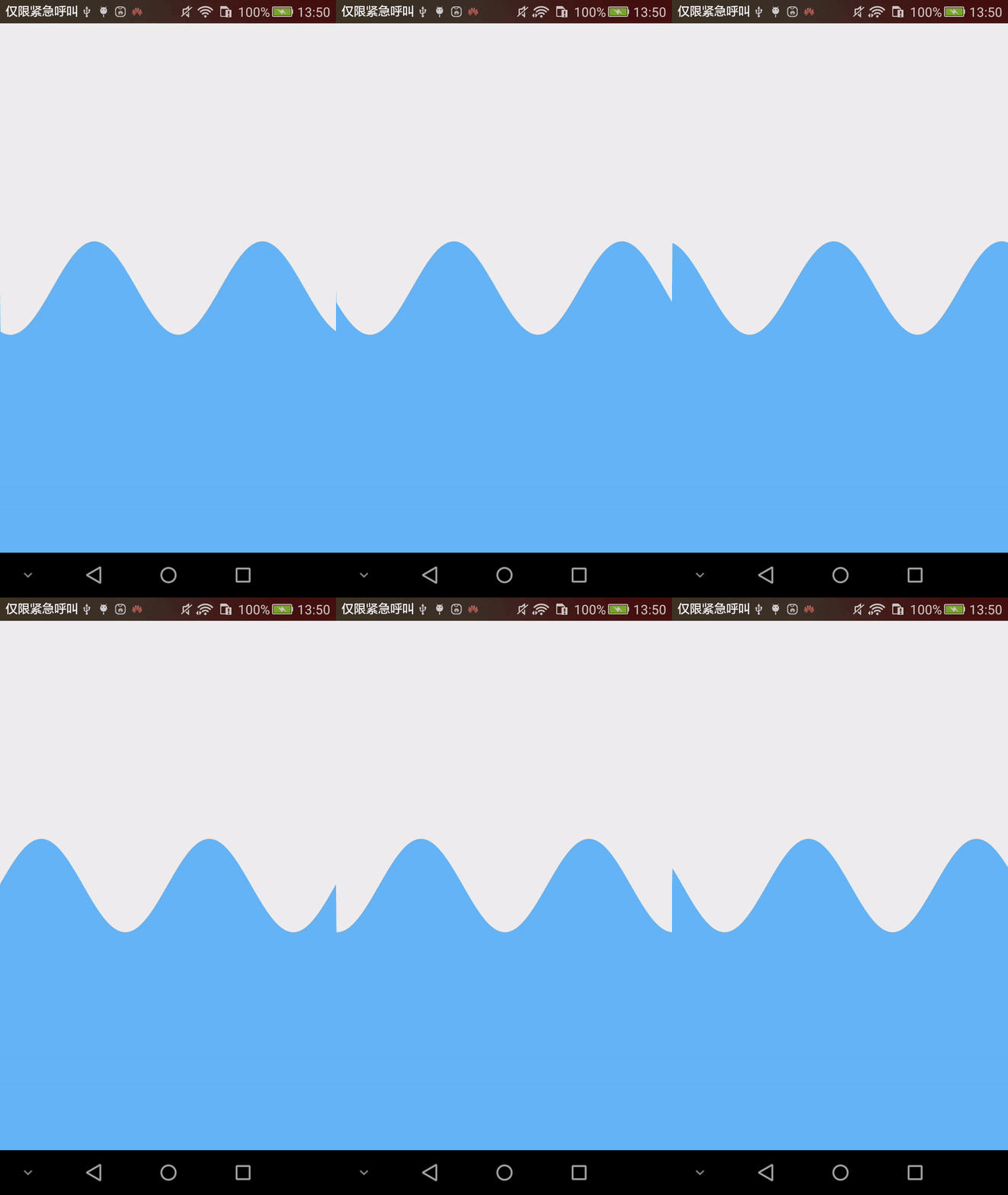
实现原理
属性配置
attrs.xml文件中,进行属性配置
<?xml version="1.0" encoding="utf-8"?>
<resources>
 <declare-styleable name="wave">
  <!--波浪颜色-->
  <attr name="wavecolor" format="color"/>
  <!--波浪背景颜色-->
  <attr name="wavebackgroundcolor" format="color"/>
  <!--波浪速度-->
  <attr name="speed" format="float"/>
  <!--正弦曲线相关-->
  <!--波浪振幅-->
  <attr name="amplitude" format="integer"/>
  <!--波浪相对于控件的位置-->
  <attr name="quadrant" format="float"/>
  <!--波浪的频率-->
  <attr name="frequency" format="float"/>
 </declare-styleable>
</resources>
获取属性,同时对属性赋默认值
final typedarray array = context.obtainstyledattributes(set, r.styleable.wave);
  mspeed = array.getfloat(r.styleable.wave_speed, default_speed);
  mwavecolor = array.getcolor(r.styleable.wave_wavecolor, default_wave_color);
  mwavebkcolor = array.getcolor(r.styleable.wave_wavebackgroundcolor, default_wave_bk_color);
  mamplitude = array.getint(r.styleable.wave_amplitude, default_amplitude);
  mquadrant = array.getfloat(r.styleable.wave_quadrant, default_quadrant);
  mfrequency = array.getfloat(r.styleable.wave_frequency, default_frequency);
  array.recycle();
绘制波浪
在ondraw()中使用canvas进行绘制即可,这里需要注意的正弦曲线的绘制.
正弦曲线(y=asin(ωx+φ)+k)的一些参数如下:
a——振幅,当物体作轨迹符合正弦曲线的直线往复运动时,其值为行程的1/2。
(ωx+φ)——相位,反映变量y所处的状态。
φ——初相,x=0时的相位;反映在坐标系上则为图像的左右移动。
k——偏距,反映在坐标系上则为图像的上移或下移。
ω——角速度, 控制正弦周期(单位角度内震动的次数)。
ondraw中的代码:
@override
protected void ondraw(canvas canvas) {
 super.ondraw(canvas);
 final int width = getwidth();
 final int height = getheight();

 final int waveheight = (int) (getheight() * mquadrant);
 // 绘制背景
 canvas.drawcolor(mwavebkcolor);
 mwavepath.moveto(0, height);
 mwavepath.lineto(0, waveheight);
 for (int i = 1; i <= width; i++) {
  // 绘制正弦曲线 y = a sin(ωt+ ρ) = a sin(2πft + ρ)
  final float y = (float) (waveheight + mamplitude * math.sin(2 * math.pi * i * mfrequency + mshift));
  mwavepath.lineto(i, y);
 }
 // 将曲线闭合
 mwavepath.lineto(width, height);
 canvas.drawpath(mwavepath, mwavepaint);
}
波浪动画
这时波浪应该已经绘制完成了,下面使用handler中的周期任务实现动画效果.
// 创建一个周期任务,它的职责是改变正弦曲线的偏移量
 final class waveanimation implements runnable {

  @override
  public void run() {
   mwavepath.reset();
   mshift += mspeed;
   invalidate();
   wave.this.postdelayed(this, default_period);
  }
 }
在view被创建的时候让它进行执行
// 开始波浪动画
postdelayed(new waveanimation(), default_period);
完整代码
public class wave extends view {

 // 默认属性值
 private static final int default_amplitude = 200;
 private static final int default_period = 16;
 private static final float default_speed = .1f;
 private static final float default_quadrant = .33f;
 private static final float default_frequency = 1f / 360f;
 private static final int default_wave_color = color.parsecolor("#64b5f6");
 private static final int default_wave_bk_color = color.parsecolor("#eeeeee");

 @suppresswarnings("fieldcanbelocal")
 @colorint
 private int mwavecolor;
 @colorint
 private int mwavebkcolor;
 // 振幅
 private int mamplitude;
 // 波浪位于view的位置
 private float mquadrant;
 // 波浪的频率,这个值越大,波浪越密集
 private float mfrequency;

 // 速度
 private float mspeed;
 private float mshift;

 private final paint mwavepaint = new paint(paint.anti_alias_flag);
 private final path mwavepath = new path();


 public wave(context context) {
  this(context, null);
 }

 public wave(context context, attributeset attrs) {
  this(context, attrs, 0);
 }

 public wave(context context, attributeset attrs, int defstyleattr) {
  super(context, attrs, defstyleattr);
  init(context, attrs);
 }

 private void init(context context, attributeset set) {
  final typedarray array = context.obtainstyledattributes(set, r.styleable.wave);
  mspeed = array.getfloat(r.styleable.wave_speed, default_speed);
  mwavecolor = array.getcolor(r.styleable.wave_wavecolor, default_wave_color);
  mwavebkcolor = array.getcolor(r.styleable.wave_wavebackgroundcolor, default_wave_bk_color);
  mamplitude = array.getint(r.styleable.wave_amplitude, default_amplitude);
  mquadrant = array.getfloat(r.styleable.wave_quadrant, default_quadrant);
  mfrequency = array.getfloat(r.styleable.wave_frequency, default_frequency);
  array.recycle();

  mwavepaint.setstrokewidth(2);
  mwavepaint.setcolor(mwavecolor);

  // 开始波浪动画
  postdelayed(new waveanimation(), default_period);
 }


 @override
 protected void ondraw(canvas canvas) {
  super.ondraw(canvas);
  final int width = getwidth();
  final int height = getheight();

  final int waveheight = (int) (getheight() * mquadrant);
  // 绘制背景
  canvas.drawcolor(mwavebkcolor);
  mwavepath.moveto(0, height);
  mwavepath.lineto(0, waveheight);
  for (int i = 1; i <= width; i++) {
   // 绘制正弦曲线 y = a sin(ωt+ ρ) = a sin(2πft + ρ)
   final float y = (float) (waveheight + mamplitude * math.sin(2 * math.pi * i * mfrequency + mshift));
   mwavepath.lineto(i, y);
  }
  // 将曲线闭合
  mwavepath.lineto(width, height);
  canvas.drawpath(mwavepath, mwavepaint);
 }


 final class waveanimation implements runnable {

  @override
  public void run() {
   mwavepath.reset();
   mshift += mspeed;
   invalidate();
   wave.this.postdelayed(this, default_period);
  }
 }
}
以上就是本文的全部内容,希望对大家的学习有所帮助,也希望大家多多支持。
